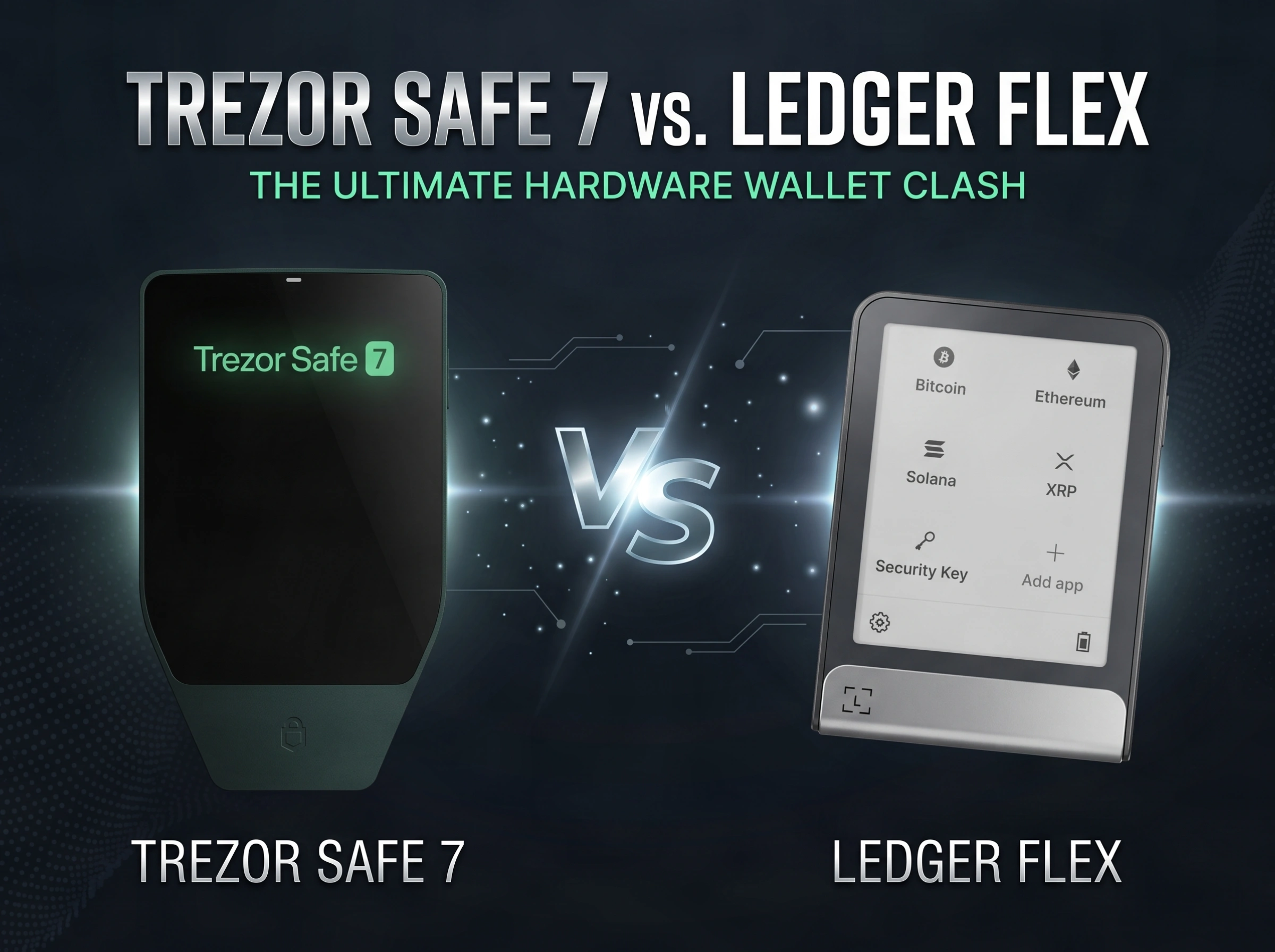
Trezor Safe 7 vs. Ledger Flex: Don’t Spend Until You Read This
Choosing a hardware wallet is a big step when you start taking crypto security seriously.
Two names that stand out in the same price range are the Trezor Safe 7 and Ledger Flex. Both are premium hardware wallets.
Both cost around €250 at their regular price. But they take a very different approach.
The Trezor Safe 7 puts more focus on build quality, open-source ideas, backup choices, and a premium feel.
The Ledger Flex puts more focus on its screen, device controls, software ecosystem, and support for a wide range of crypto apps.
So, which one is better?
The answer is not as simple as saying one wallet wins. The better choice depends on how you plan to use your crypto wallet.
If you care more about a high-end device and flexible backup options, the Trezor Safe 7 may make more sense.
If you use many altcoins, third-party wallets, or want to do more directly from the device, the Ledger Flex has some clear benefits.
This Trezor Safe 7 vs. Ledger Flex comparison breaks down the main differences in simple terms.
Quick answer
No time to read it all? Here is who wins each round.
We may earn a commission if you buy through these links, at no extra cost to you.
Trezor Safe 7 vs. Ledger Flex: What Is the Main Difference?
At first glance, the Trezor Safe 7 and Ledger Flex look quite similar.
They are both premium hardware wallets. Both have a built-in screen, a physical button, and USB-C connectivity. Both are designed to keep your private keys away from your computer or phone.
The biggest difference is the way each company approaches the wallet.
The Trezor Safe 7 feels more focused on hardware quality, transparency, open-source design, and long-term use. It also offers more advanced backup options.
The Ledger Flex is more focused on the complete user experience. The device itself gives you more control, while Ledger Live provides a larger software ecosystem.
Here is the basic comparison:
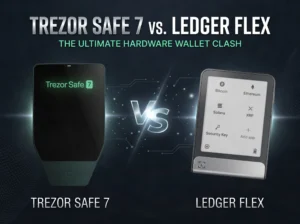
| Feature | Trezor Safe 7 | Ledger Flex |
|---|---|---|
| Regular price mentioned in the video | €250 | €250 |
| Display | OLED | E Ink |
| Color display | Yes | No |
| Screen size | Smaller | Larger |
| Body | Metal and glass | Metal and plastic |
| Wireless charging | Yes | No |
| USB-C | Yes | Yes |
| Secure elements | Two | One |
| Device-only features | More limited | More extensive |
| Backup options | BIP39 and SLIP39 | BIP39 |
| Software ecosystem | Trezor Suite | Ledger Live |
| Third-party wallet support | Good | Broader |
| Altcoin ecosystem | Good | Stronger |
| Premium build | Stronger | Good |
| Best for | Security-focused and open-source minded users | Altcoin users and users wanting more features |
The table gives you the quick answer. But the details matter if you are spending around €250 on a hardware wallet.
Which Hardware Wallet Has Better Build Quality?
If build quality is important to you, the Trezor Safe 7 has the advantage.
The two wallets are close in size. The Ledger Flex is slightly larger and also has a larger display. Both are roughly similar in thickness.
Both devices have a physical button. Both use USB-C for connection.
The port placement is different. The Trezor Safe 7 has its USB-C port at the bottom. The Ledger Flex has it on the side.
The bigger difference is the materials.
Trezor Safe 7 Build Quality
The Trezor Safe 7 uses metal and glass. It has a unibody design that gives it a very solid feel.
The front uses Gorilla Glass. This helps make the screen more resistant to scratches.
The back also supports wireless charging. You can still charge the device through its port, but wireless charging gives you another option.
The overall design feels like a premium piece of hardware.
This is one of the strongest areas for the Trezor Safe 7.
Ledger Flex Build Quality
The Ledger Flex is also well made. It does not feel cheap or poorly built.
However, it uses more plastic around the device. It has metal parts, but it does not have the same metal-and-glass feel as the Trezor Safe 7.
It also does not support wireless charging.
That does not make the Ledger Flex a bad device. It simply means the Trezor has the stronger premium build.
Winner: Trezor Safe 7
Which Has the Better Display: Trezor Safe 7 or Ledger Flex?
This is one of the more interesting differences in the Trezor Safe 7 vs. Ledger Flex comparison.
The Trezor Safe 7 uses an OLED display.
The Ledger Flex uses an E Ink display.
These are two very different screen types.
Trezor Safe 7 OLED Screen
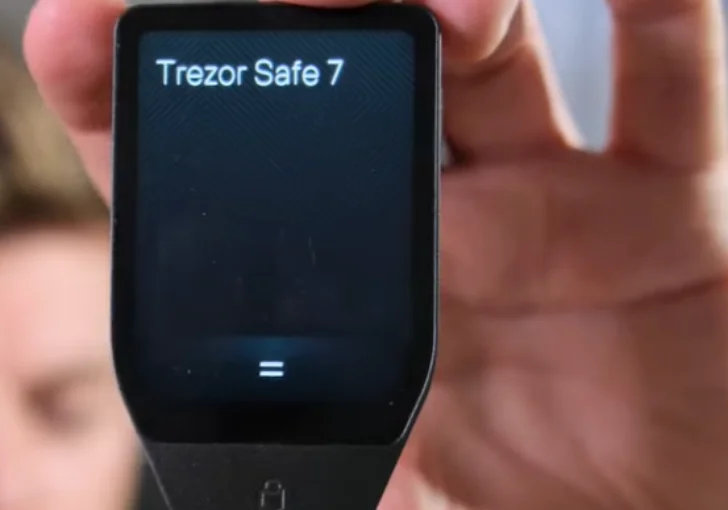
The Trezor Safe 7 has a smaller OLED screen with strong colors.
The display looks bright and vivid. Text and wallet details are easy to see.
It also gives the device a more modern look.
The main downside is that OLED screens use more power than E Ink screens.
Ledger Flex E Ink Screen
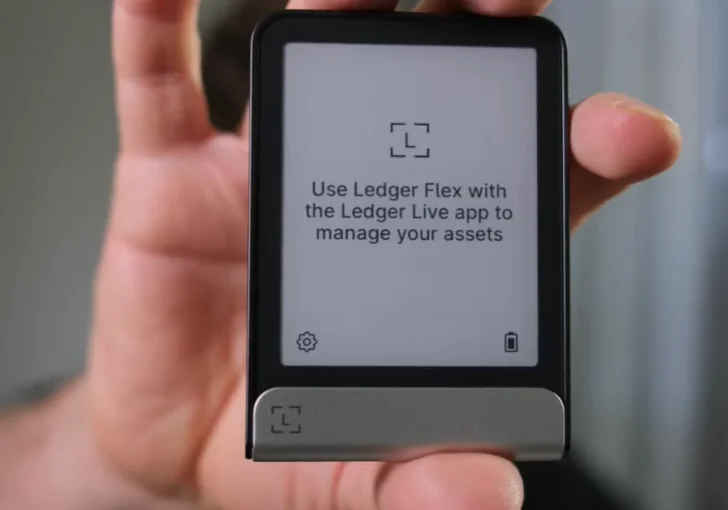
The Ledger Flex uses E Ink technology. You may already know this type of screen from an e-reader such as a Kindle.
It does not give you the bright colors of the Trezor.
Instead, it uses shades of gray.
But E Ink has an important benefit. It works very well in bright light.
That makes the Ledger Flex useful when you are outside or working near a bright lamp.
The screen also uses less power, which helps the battery last longer.
The downside is simple. It is not easy to read in the dark without some form of light.
Winner: Ledger Flex for practical use, Trezor Safe 7 for color
Which Hardware Wallet Is Easier to Use?
For beginners, this may be more important than the design.
The Ledger Flex has the edge here.
The screen is larger. More importantly, the software on the device is designed to let you do more.
You can enter information more easily. Checking your seed phrase is also more comfortable. Entering your PIN is better handled on the Ledger Flex.
The device feels more useful on its own.
With the Trezor Safe 7, you still get a good screen and a clear interface. But more of the experience depends on connecting the wallet to your phone or computer.
The Ledger Flex can do more without that connection.
For example, once your wallet is set up, you can access your wallet information and show a wallet address QR code directly from the device.
That can be useful if you want to take the hardware wallet with you and receive crypto without always relying on your phone or computer.
This is a real difference for people who want a more standalone hardware wallet.
Winner: Ledger Flex

Can You Use the Ledger Flex Without a Phone or Computer?
To a larger degree, yes.
This is one of the practical advantages of the Ledger Flex.
Once the wallet is set up, you can perform more tasks directly on the device.
You can view wallet information and display a QR code for a wallet address.
The Trezor Safe 7 is more dependent on a connected phone or computer for everyday wallet functions.
The Trezor connection works well, but it is not as standalone-focused.
For someone who wants to carry a hardware wallet and use it with fewer extra devices, the Ledger Flex is the more flexible option.
Which Is More Secure: Trezor Safe 7 or Ledger Flex?
This is the hardest category to declare a winner.
The reason is simple.
You cannot judge hardware wallet security only by looking at the number of features.
The Trezor Safe 7 is a newer device. The Ledger Flex is also relatively new compared with older hardware wallet models.
Both use secure elements.
The Ledger Flex uses a secure element that is part of Ledger’s security approach.
The Trezor Safe 7 takes things further by using two secure elements.
One is developed by Trezor itself. The other is an established secure element that is also used in newer, more expensive Trezor models.
This is a notable change from some older Trezor devices.
What Is a Secure Element?
A secure element is a special type of chip designed to protect sensitive information.
For a hardware wallet, this matters because your private keys are extremely important.
You do not want your wallet secrets exposed if someone gets physical access to your device.
Secure elements add another layer of protection.
The Trezor Safe 7 uses two secure elements, while the Ledger Flex uses one.
But that does not automatically mean the Trezor Safe 7 is twice as secure.
Security is much more complicated than counting chips.
The supplied comparison also does not give enough information to make a fair claim that one device is safer than the other.
So, for this Trezor Safe 7 vs. Ledger Flex comparison, the fairest answer is a draw.
Winner: Tie
What About Long-Term Software Support?
Long-term support is another area where the Trezor Safe 7 stands out.
A hardware wallet is not something you want to replace every few years just because a newer model is available.
The Trezor approach puts more focus on keeping devices supported for a long time.
That is useful because a hardware wallet is not a smartphone. You do not need a new model every few years just to get basic functions.
The video also points out concerns around older Ledger devices and software support.
That does not mean the Ledger Flex is a poor long-term choice. It means software support is an area where the Trezor approach may appeal more to users who plan to keep one device for a long time.
If long-term use matters to you, this is something worth considering before buying.
Advantage: Trezor Safe 7
What Backup Options Does the Trezor Safe 7 Offer?
This is one of the biggest feature differences.
The Trezor Safe 7 supports both BIP39 and SLIP39 backup standards.
BIP39 is a widely used standard for seed phrases.
A seed phrase is the group of words that can be used to recover your wallet.
For many users, this is simply a list of 12 to 24 words that must be stored safely.
BIP39 is useful because it is widely supported.
If you later move from Trezor to Ledger, or from Ledger to Trezor, a standard BIP39 backup can make the move easier.
SLIP39 takes a different approach.
It can split a backup into multiple parts. This can be useful for more advanced setups.
For example, someone managing a larger crypto holding may not want one person or one location to hold the entire backup.
A split backup can be useful for inheritance planning or setups involving multiple trusted people.
This is not something every beginner needs.
But it is a useful feature for people with larger or more complex crypto setups.
Is SLIP39 Better Than BIP39?
Not necessarily.
They solve different problems.
BIP39 is the more common choice and offers broad compatibility.
SLIP39 gives you more flexibility for advanced backup setups.
The main point to remember is that SLIP39 is more closely tied to the Trezor ecosystem.
If you want to move to another wallet later, BIP39 may be easier for a beginner.
So, if you are buying a Trezor Safe 7, learn how your chosen backup method works before moving large amounts of crypto onto the device.
What Does Ledger Flex Offer for Backups?
The Ledger Flex uses BIP39.
That keeps the backup method familiar and widely supported.
Ledger also has an interesting accessory called the Ledger Recovery Key.
The idea is to use NFC technology to store an additional encrypted backup.
The recovery accessory can be kept in another safe location.
This is a useful idea because keeping your only backup in one place can create a major risk.
If that location is damaged, lost, or destroyed, recovery can become much harder.
Having another secure backup location can give you more options.
For beginners, the important point is not to treat an extra backup device as a replacement for safe backup habits.
Your recovery information still needs to be protected.
Which Has the Better Software Ecosystem?
This is where the Ledger Flex gets a strong advantage.
Ledger Live is a major part of the Ledger experience.
It is available on computers and mobile devices and connects the hardware wallet with a wide range of crypto services.
The Trezor Safe 7 uses Trezor Suite.
Trezor Suite offers a clean experience and covers the main functions you need.
But the Ledger ecosystem offers more integrations.
That can matter if you own several types of crypto.
It can also matter if you use third-party wallets.
For example, users who work with wallets such as MetaMask may find the Ledger ecosystem more useful.
The same applies to users who want to stake certain assets or use different services within the crypto ecosystem.
Winner: Ledger Flex
Which Is Better for Altcoins?
If you own a lot of altcoins, the Ledger Flex is probably the better fit.
This is mainly because of the larger ecosystem and wider integration with third-party wallets.
Ledger has built a broad software environment around its hardware wallets.
That makes it easier to connect with different crypto apps and services.
The Trezor Safe 7 can still be a strong choice for many crypto users.
But if your portfolio goes beyond a few major coins and you often use different crypto apps, Ledger’s ecosystem becomes more valuable.
Winner: Ledger Flex
Is Trezor Safe 7 Better for Bitcoin?
If your main focus is Bitcoin and you care about open-source ideas, long-term hardware use, and backup flexibility, the Trezor Safe 7 becomes more attractive.
It gives you a premium physical device and more backup choices.
The Trezor approach also appeals to users who care about transparency and open-source development.
You should still check the exact assets and features you need before buying any hardware wallet.
But for a user who mainly wants a secure Bitcoin-focused setup, the extra Ledger ecosystem may not be as important.
Which Wallet Is Better for Beginners?
Both can work for beginners.
But the Ledger Flex is easier to recommend to someone who wants a broad crypto experience.
Its larger display is easier to use.
The on-device software is more capable.
Ledger Live gives you a wider software environment.
Third-party wallet support also adds flexibility.
The Trezor Safe 7 is still beginner-friendly, but some of its best features are aimed at users who care about backup systems, privacy, open-source ideas, and long-term ownership.
So the best beginner choice depends on what the beginner plans to do.
Choose Ledger Flex if: you want simple access to a wide crypto ecosystem.
Choose Trezor Safe 7 if: you want a premium device and care more about the hardware and backup design.
Trezor Safe 7 vs. Ledger Flex: Which Has Better Features?
Both wallets have useful features, but the strengths are different.
Trezor Safe 7 strengths
- Premium metal and glass body
- OLED color display
- Two secure elements
- Wireless charging
- BIP39 support
- SLIP39 support
- More advanced backup options
- Strong focus on long-term software support
- Open-source approach
Ledger Flex strengths
- Larger E Ink display
- Better battery life approach
- More capable on-device controls
- More standalone functions
- Ledger Live ecosystem
- More third-party wallet integration
- Stronger altcoin support
- NFC support
- Ledger Recovery Key option
There is no clear winner across every feature.
The right choice depends on which features you will actually use.
Which One Looks and Feels More Premium?
The Trezor Safe 7 wins this one.
Its metal and glass construction gives it a much more premium feel.
The unibody design also makes it feel more like a high-end electronic device.
The Ledger Flex is still well made.
It is not a cheap-looking wallet.
But its use of plastic means it does not have quite the same premium feel.
If you are spending around €250 and want the hardware itself to feel special, the Trezor Safe 7 has the advantage.
Which One Should You Buy for Long-Term Crypto Storage?
For long-term storage, the Trezor Safe 7 is a very appealing option.
Its premium build, backup choices, and focus on long-term support fit this type of use.
You may not need a huge software ecosystem if your main goal is to store crypto safely for years.
On the other hand, if you plan to actively use your crypto wallet, connect to different apps, stake assets, or manage many altcoins, the Ledger Flex makes more sense.
Think about your wallet as a tool.
A person who mostly stores Bitcoin needs a different tool from someone who regularly uses DeFi and many altcoins.
Trezor Safe 7 vs. Ledger Flex: Pros and Cons
Trezor Safe 7 Pros
- Excellent build quality
- Metal and glass construction
- Bright OLED display
- Wireless charging
- Two secure elements
- BIP39 and SLIP39 backup options
- Strong long-term support approach
- Good choice for security-focused users
- Attractive design
Trezor Safe 7 Cons
- Smaller screen
- Less capable as a standalone device
- More dependence on a phone or computer
- SLIP39 can be less convenient if you later move to another wallet
- Smaller software ecosystem than Ledger
Ledger Flex Pros
- Larger display
- Easy-to-read E Ink screen
- Good battery efficiency
- Better device controls
- More standalone features
- Strong Ledger Live ecosystem
- Broad third-party wallet support
- Better choice for many altcoins
- NFC and Recovery Key options
Ledger Flex Cons
- Plastic is used around parts of the body
- No wireless charging
- E Ink screen does not provide color
- Screen needs light in dark conditions
- Backup options are less flexible than Trezor’s SLIP39 system
So, Which Is Better: Trezor Safe 7 or Ledger Flex?
After comparing the two, the Ledger Flex has a small overall advantage if you simply count features.
It offers better device controls, a larger screen, a stronger software ecosystem, more third-party wallet support, and better options for users who own many altcoins.
But that does not mean the Ledger Flex is automatically the better hardware wallet for everyone.
The Trezor Safe 7 has a different set of strengths.
It feels more premium. It uses better materials. It has two secure elements. It supports both BIP39 and SLIP39. It offers wireless charging and takes a strong approach to long-term device support.
That makes the decision much closer than a simple score would suggest.
Choose the Trezor Safe 7 if you:
- Care about premium hardware
- Prefer metal and glass construction
- Like open-source ideas
- Want more backup choices
- Want SLIP39 support
- Mainly hold Bitcoin or major assets
- Plan to keep the wallet for years
- Care about long-term software support
- Do not need a huge crypto app ecosystem
Choose the Ledger Flex if you:
- Own many altcoins
- Use third-party crypto wallets
- Want more features directly on the device
- Want a larger screen
- Prefer the Ledger Live ecosystem
- Want easier access to different crypto apps
- Like the idea of NFC backup accessories
- Plan to use your hardware wallet actively
Trezor Safe 7 vs. Ledger Flex: Final Verdict
The Trezor Safe 7 and Ledger Flex are both strong premium hardware wallets, but they are designed around different priorities.
The Trezor Safe 7 feels like the better choice for someone who wants a high-quality physical device with flexible backup options and a strong focus on transparency and long-term use.
The Ledger Flex feels like the better choice for someone who wants to do more with the wallet.
Its larger screen is useful. Its on-device controls are better. Its software ecosystem is broader. And its support for third-party wallets and altcoins makes it more flexible for active crypto users.
If I had to give one overall winner based only on the features covered here, I would give the Ledger Flex a narrow win.
But I would not call it a clear winner.
For a Bitcoin-focused user who values hardware quality, backup choices, and open-source ideas, I would lean toward the Trezor Safe 7.
For an active crypto user who owns many altcoins and uses different apps, I would pick the Ledger Flex.
The most important thing is to choose based on how you will use the wallet, not just which device has more features.
At around €250, neither is a small purchase. So take some time to think about your crypto habits before making the final choice.










1 comment