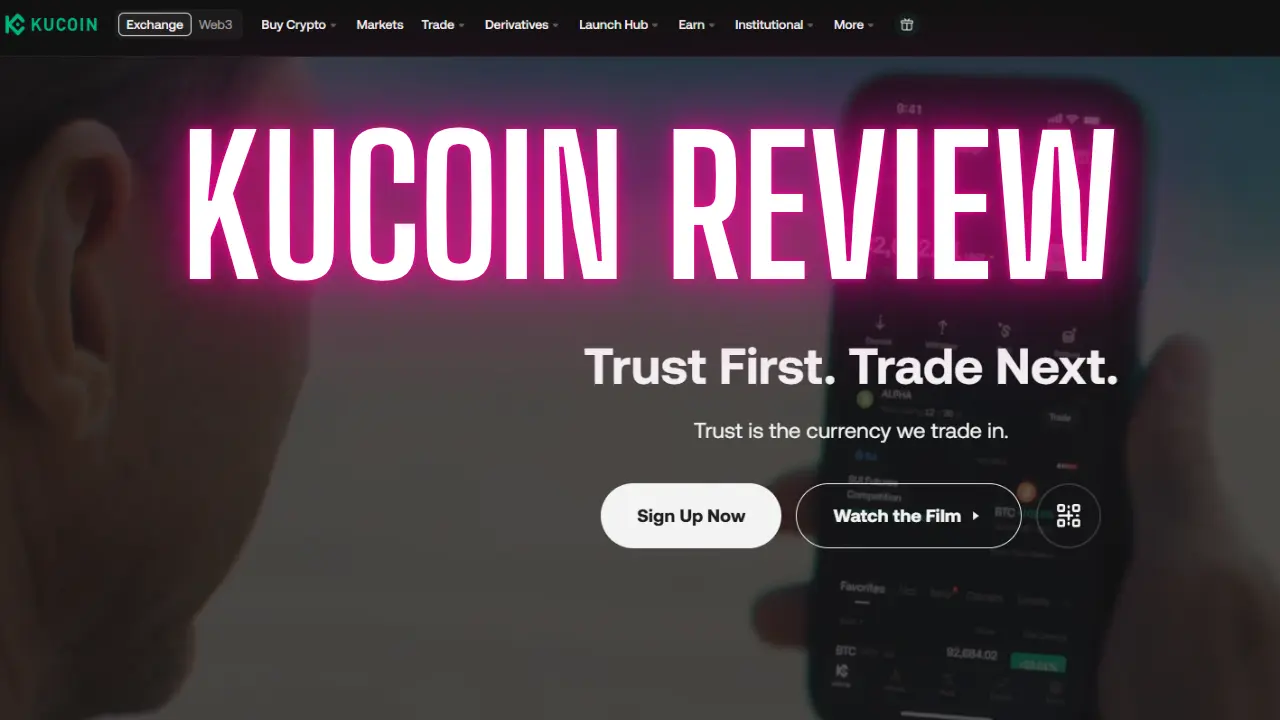
KuCoin Review – Exchange Review & Beginner’s Guide
If you’re thinking about trading crypto, chances are you’ve come across KuCoin. It’s one of the most popular exchanges in the world and calls itself “The People’s Exchange.”
But what makes KuCoin stand out from the rest? And is it beginner-friendly?
In this KuCoin Review and Beginner’s Guide, we’ll walk you through everything — from signing up to trading like a pro. You’ll also learn about its features, fees, safety, and a few insider tips to help you save money.
Let’s dive in.
What is Kucoin, Anyway?
First things first. Kucoin is a crypto exchange. It was launched back in 2017. The CEO is its co-founder, Johnny Lyu.
Kucoin calls itself “The People’s Exchange.” That is a bold claim. But it seems people agree. They have over 30 million users in more than 200 countries. By trading volume, it is the seventh biggest crypto exchange in the world.
It has all the slick features you would expect from a major platform. But Kucoin is famous for two big reasons.
- Early Altcoin Listings: Kucoin often lists small, new altcoins long before the biggest exchanges do. Many of the best-performing cryptos this year were on Kucoin first.
- Low Trading Fees: Their fees are very competitive to begin with. And we will show you how to cut them down even more.
A Quick Important Note: Kucoin has restrictions for some countries. The most notable are the US, UK, and Singapore. Always check their full list to see if you can use it.
Now, let’s get you set up.
How to Create Your Kucoin Account (And Save on Fees)
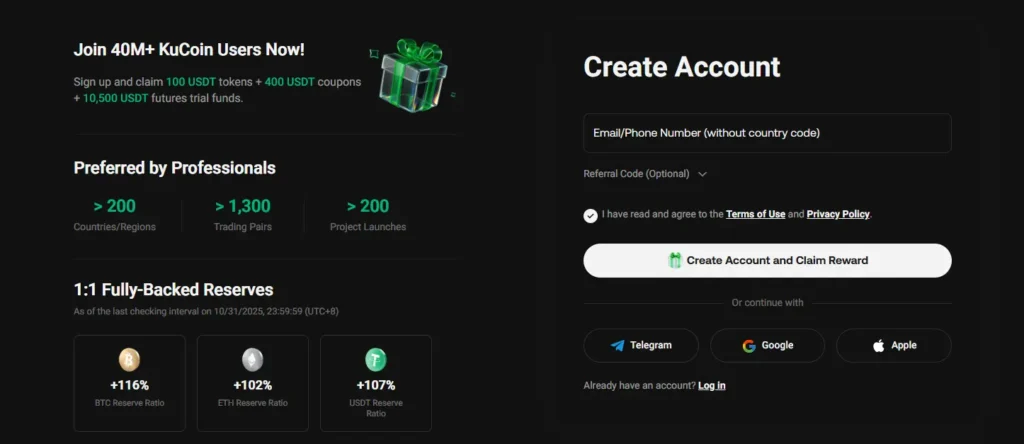
Setting up your account is simple. But here is a pro tip before you start.
Use a special sign-up link. If you use the right link, you can get a trading fee discount of up to 60%. This is an exclusive deal for our readers. It is for a limited time, so take advantage of it while you can.
Once you click that link, here is what to do:
- Go to the sign-up page.
- Enter your email or phone number.
- Verify it with the code they send you.
- Create a strong, unique password. Use a mix of letters, numbers, and symbols. Do not recycle an old password.
Next, you need to verify your identity. This is called KYC (Know Your Customer). On Kucoin, it is mercifully fast. You can do it in under 5 minutes.
It is easier to do on your mobile phone. Kucoin will show you two QR codes.
- Scan the first one to download the Kucoin app.
- Then, use the app to scan the second code. This takes you to the KYC page.
Just follow the on-screen instructions. Once you are verified, you get full access. This includes higher withdrawal limits and the ability to trade futures.
Step 1: Secure Your Account (Do NOT Skip This)
Your account is new. Your first instinct might be to start trading. Do not do it yet.
Your first job is to make your account security airtight. This is the most important step.
Go to your account page. Click on the circle in the top right corner. Then, find “Security” on the left-hand menu.
Here is what you must turn on:
- Two-Factor Authentication (2FA): Use an app like Google Authenticator. This adds a critical extra layer of security.
- Trading Password: A separate password just for making trades.
- Login Safety Phrase: Another smart barrier against hackers.
- Restrict Login IP: This logs you out of old sessions when you log in from a new place. It is a lifesaver if you ever leave your account open on a public computer.
- Anti-Phishing Code: This is a simple code that appears in real Kucoin emails. If you get an email without your code, you know it is a scam.
The more security you add, the better you will sleep at night.
How to Deposit Crypto and Fiat on Kucoin
Now your account is secure. It is time to get some assets onto the exchange.
Click the “Deposit” button in the top right. You can transfer crypto from another exchange or your own wallet.
If you are holding a lot of crypto, you should use a hardware wallet. It is the safest way to store your assets.
The deposit process is simple.
- Choose the crypto you want to deposit.
- Select the correct blockchain network.
- Send your assets from your wallet to the address Kucoin provides.
CRITICAL: Always double and triple-check the address and network. Sending crypto to the wrong address means you lose it forever. For large deposits, always do a small test transfer first.
What About Using Regular Money (Fiat)?
This is where it gets a little tricky. Kucoin does not have a direct fiat on-ramp like Coinbase or Kraken.
You cannot simply deposit US dollars and use them to buy crypto on the spot market.
So, what are your options?
- Fast Trade: This lets you buy crypto with a Visa or Mastercard. It is fast, but you pay for that speed. You might get $95 in crypto for $100. That is a 5% fee!
- Third-Party Vendors: Kucoin can show you offers from other sellers. The rates are often slightly better than Fast Trade, but not by much.
- P2P Market: This has no fees. You find a seller who will sell you the crypto you want at a price you like. The problem? It can be hard to find a perfect match, and you still will not get a 1:1 rate.
The best way is to use another exchange with a good fiat on-ramp. Buy USDT there, and then transfer it to your Kucoin account.
Understanding Your Kucoin Accounts
Before you trade, you need to know about your different accounts. Think of them as different pockets for your money.
Go to “Assets” in the top right to see them all.
- Funding Account: This is your main storage hub. Deposits go here by default. Withdrawals also come from here.
- Trading Accounts: You have separate accounts for different types of trading.
- Spot Account: For regular crypto trading.
- Margin Account: For leveraged trading (more on this later).
- Futures Account: For trading futures contracts.
- Trading Bot Account: Holds assets for your automated trading bots.
- Finance Account: This is for Kucoin’s Earn program. Use it for staking, savings, and other ways to earn passive income.
To use margin or futures, you need to activate them first. Kucoin will ask you to take a short quiz. It is meant to make sure you understand the risks.
A Tour of the Kucoin Markets
Click on “Markets” at the top of the page. This is your crypto dashboard.
You will see trending cryptos, the biggest gainers, and the biggest losers of the day.
Be careful. Do not treat the biggest gainers list as a shopping list. Buying at the very top is a common mistake. You could wake up with big losses.
You can filter the view to see all markets, just spot, or futures. You can also filter by different narratives and blockchains.
Keep an eye on the “New Listings” section. This is where you find new coins. But be warned: new listings can be extremely volatile. Prices often go crazy for a few hours after launch.
How to Trade on Kucoin: The Easy Way and The Pro Way
You have found a crypto you like. Now, how do you buy it?
The Easy Way: Convert
The “Convert” feature is the simplest way to trade. It lets you swap one crypto for another with zero fees.
It is great if trading charts scare you. You can use crypto from your funding or trading account.
But there is a catch. You pay a “spread.” This means the price you get might be slightly worse than the spot market price. Kucoin gives you a quote, and you can take it or leave it. You have no control over the price.
The Pro Way: The Trading Terminal
Click “Trade” next to any crypto. This drops you into the advanced trading terminal. It might look complicated, but we will break it down.
- The Chart: This is the main price chart. It is powered by TradingView. Learn to read candlestick charts. They give you much more information than a simple line graph.
- The Order Book: This is the list of flashing numbers on the right. Green are buy orders. Red are sell orders. The balance between them sets the current price.
- Place Order: This is on the right side. Here is where you actually buy and sell.
Kucoin offers several order types. Let’s look at the two most important.
- Market Order: This buys or sells at the best available price right now. It is fast, but the price might be slightly worse than you expected.
- Limit Order: This lets you set a specific price. For example, you can set a sell order for a crypto at $100. The order will only fill if the price hits $100. This gives you control, but your order might not fill completely if the market moves away too fast.
A very important order type for safety is the Stop-Market Order.
This is a market order that activates only when a certain price is hit. You can use it to limit your losses. If the price starts to crash, a stop-market sell order can automatically sell your crypto before you lose too much money.
Let a Robot Do the Work: Trading Bots
What if you do not want to stare at charts all day? Kucoin has a solution: automated trading bots.
These bots trade for you 24/7. They follow a set strategy without emotion.
You can find them by switching from “Manual” to “Bot” in the trading terminal.
Kucoin offers several popular bots:
- Spot Grid & Futures Grid Bots: These automatically buy low and sell high within a set price range.
- DCA Bot: This buys a crypto in small chunks at regular intervals. It averages out your purchase price over time.
- Smart Rebalance Bot: This automatically manages your portfolio to keep certain ratios.
You can use pre-set parameters or customize your own. There is even a leaderboard where you can copy the settings of the best-performing bots. Just remember, past success does not guarantee future profits.
A Word of Caution: Leverage Trading
Leverage trading lets you trade with borrowed money. You put down $100 and can control a $1,000 position (10x leverage).
This sounds great. But it is extremely dangerous.
Your profits are magnified. So are your losses. The higher the leverage, the faster you can lose all your money. A small price move against you can “liquidate” your position. This means you lose your entire margin.
Kucoin offers up to 125x leverage. We strongly suggest you avoid this.
If you do decide to try it, you have two main options:
- Margin Trading on Spot: You borrow assets to trade on the regular spot market.
- Perpetual Futures: You bet on the price of an asset without owning it. You can go “long” (betting the price will go up) or “short” (betting the price will go down).
Always, always use a stop-loss when trading with leverage. It is your only safety net.
Understanding Kucoin Trading Fees
Trading is not free. Kucoin charges a small fee for each trade.
They use a tiered system. Your fees get lower as your trading volume or KCS holdings increase.
KCS is Kucoin’s own token.
Even at the lowest tier (Level 0), the fees are good.
- Spot Trading: 0.1% for both maker and taker orders.
- Futures Trading: 0.02% for makers and 0.06% for takers.
You can get a 20% discount on these fees if you pay them with KCS tokens.
Remember that sign-up link we talked about? It can get you up to a 60% discount on these already low fees. Do not forget to use it.
How to Withdraw Your Crypto
You made a profit. Congratulations! Now, get your crypto off the exchange.
The golden rule is: “Not your keys, not your coins.” If your crypto is not in your own wallet, you do not fully control it.
To withdraw, go back to “Assets” and click “Withdraw.”
- Choose the crypto.
- Select the correct network.
- Paste the address from your personal wallet (like a hardware wallet).
There are withdrawal fees and minimum amounts. These vary for each crypto and network. You can check them on Kucoin’s fee schedule page.
Final Thoughts: Is Kucoin Right For You?
We are big fans of Kucoin here. It has a great mix of features, security, and a user-friendly interface. Its selection of new and small altcoins is unmatched by many bigger exchanges.
Yes, Kucoin has faced some regulatory challenges. But it has continued to operate smoothly.
Just remember one thing. No matter how good an exchange is, you need a risk management strategy. Do not trade more than you can afford to lose. Be very careful with leverage.
And most importantly, withdraw your crypto to your own secure wallet when you are not actively trading.
Kucoin is a powerful tool. Use it wisely, and it can be a great part of your crypto journey.
Now you are ready to explore. Happy trading








Post Comment